In short
A single router is enough for most apartments and compact homes under roughly 1,500 to 2,000 square feet with few thick walls. A mesh system is the better choice for larger homes, multiple floors, brick or concrete walls, or any layout where you already have dead zones. If you can run Ethernet cable between rooms, a mesh system with wired connections between nodes gives the best result of all.
Most people start thinking about mesh routers the same way: a video call freezes in the back bedroom, or the streaming box in the basement keeps buffering while the laptop next to the router runs fine. The question that follows is simple. Do you need a better router, or a different kind of system altogether? After 14 years of testing and reviewing home networking gear, my answer is that it depends far more on your floor plan than on the price tag. This guide walks through the mesh router vs router decision the way I would for a friend: what each one is, where each one wins, and how to choose without overspending.
What is the difference between a mesh router and a single router?
A single router (often called a traditional or standalone router) is one box that connects to your modem and broadcasts a WiFi signal from a single point in your home. Everything on your network talks to that one device. Its coverage is limited by its antennas, its transmit power and whatever stands between it and your devices.
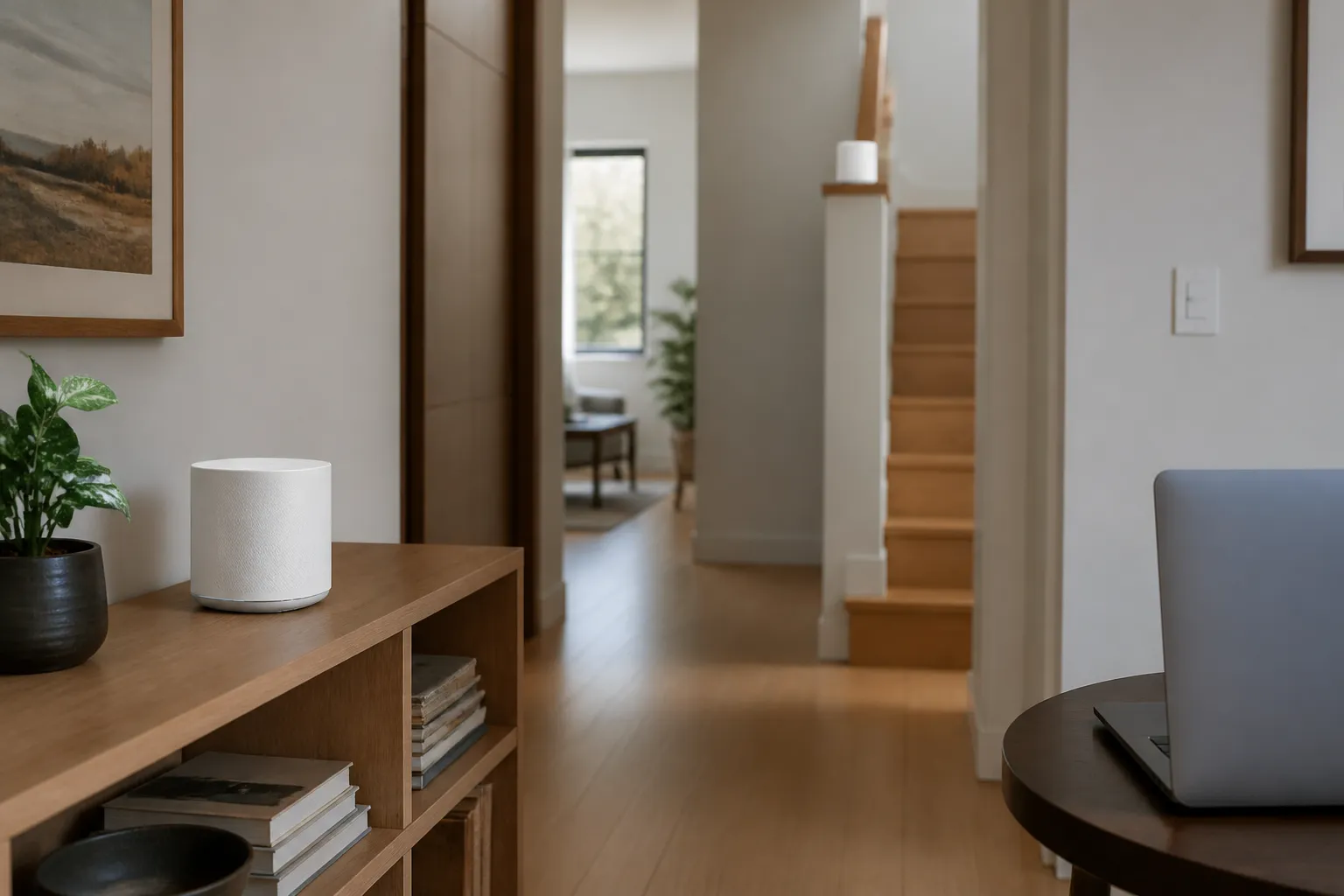
A mesh router system uses two or more units, usually called nodes or satellites. One node connects to your modem and acts as the main router. The others are placed around the home and pass traffic back to the main node. Together they broadcast a single network name, and your phone or laptop moves between nodes as you walk around.
Two terms come up constantly when comparing them:
- Backhaul: the link the nodes use to talk to each other. It can be wireless or wired through Ethernet cable. The quality of the backhaul largely decides how fast a mesh system feels in far rooms.
- Roaming: the handoff of your device from one node to another. Good mesh systems do this quietly, so a call or stream continues as you move.
When is a single router enough?
A single router is the right choice more often than marketing suggests. If one well placed box can reach every room with a solid signal, adding more hardware only adds cost and complexity.
A single router usually works well when:
- You live in an apartment or a single floor home of roughly 1,500 square feet or less (a practical estimate, not a hard rule).
- The router can sit near the middle of the home rather than in a corner or a cabinet.
- Your interior walls are mostly drywall and wood, not brick, stone or concrete.
- Your internet plan is modest, say under 300 Mbps, so you are not chasing every last bit of speed.
- Most of your demanding devices, such as a TV or desktop, sit within one or two rooms of the router.
A good single router also has advantages of its own. All of its radio capacity serves your devices directly, with no bandwidth spent on talking to satellites. It costs less for the same WiFi generation, and it is easier to troubleshoot because there is only one box to reboot or update.
Try this before buying anything
Many coverage problems come from placement, not hardware. Move the router out of the cabinet, off the floor and toward the center of the home. Keep it away from fish tanks, mirrors, microwaves and large metal objects. Restart it and check speeds again in the problem room. In my experience, a surprising share of dead zones disappear after a ten minute relocation.
When does a mesh system make sense?
Mesh systems earn their price when distance and obstacles are the real problem. WiFi signals weaken quickly through dense materials, and the faster 5 GHz and 6 GHz bands lose strength through walls faster than the slower 2.4 GHz band. One router simply cannot push a strong signal through everything.
A mesh system is worth it when:
- Your home is larger than about 2,000 square feet, or spread over two or more floors.
- The layout is long and narrow, L shaped, or has a detached office or garage you want covered.
- Walls are brick, plaster over lath, stone or concrete, which absorb signal heavily.
- You have rooms where the signal drops to one bar or connections fail entirely.
- You want strong WiFi on a patio, in a garden or in a basement.
- Several people stream, game and work on video calls in different parts of the home at once.
The benefit is consistency. Instead of one room with excellent speed and others with poor speed, a mesh system aims for good speed nearly everywhere.
How do mesh and single routers compare on speed and coverage?
Here is a side by side view. Coverage and price figures are practical estimates based on typical retail products, not guarantees, since real results vary with your building.
| Factor | Single router | Mesh system |
|---|---|---|
| Typical coverage | About 1,500 to 2,500 sq ft in good conditions | About 1,500 sq ft per node, so 3,000 to 5,000 sq ft for a two or three pack |
| Speed near the main unit | Excellent, often the fastest option at a given price | Excellent |
| Speed in far rooms | Drops sharply with distance and walls | More even across the home |
| Roaming between rooms | Not applicable, one access point | Automatic handoff between nodes |
| Typical price range | Roughly $80 to $250 for a solid WiFi 6 or 6E model | Roughly $150 to $500 for a two or three node kit |
| Setup | Simple, one device | Simple via app, but node placement matters |
| Advanced settings | Usually more options | Often simplified, app based controls |
| Best fit | Apartments, compact single floor homes | Large, multistory or thick walled homes |
Why wireless backhaul matters
When nodes talk to each other over WiFi, they share radio capacity with your devices. On a dual band mesh system (one 2.4 GHz and one 5 GHz radio), the same 5 GHz radio may carry both your traffic and the backhaul, which can noticeably cut speeds at the far node. A tri band system adds a second 5 GHz or a 6 GHz radio that can be dedicated to backhaul, which keeps far rooms much closer to full speed. If you have a fast plan and cannot run cables, tri band is usually worth the extra cost.
The best option, where possible, is wired backhaul. Connecting nodes with Ethernet cable frees all wireless capacity for your devices and gives the most stable performance. Some homes already have Ethernet jacks in the walls, and powerline or MoCA adapters (which carry data over electrical wiring or coaxial TV cable) can help where they do not.
What about WiFi standards?
Both single routers and mesh systems come in different WiFi generations. WiFi 6 is the sensible baseline today. WiFi 6E adds the 6 GHz band, which is less crowded but has shorter range. WiFi 7 is the newest standard and makes the most sense for very fast plans and households that already own compatible devices. Matching the standard to your devices matters more than buying the newest label.
What about cost, setup and ongoing upkeep?
Price is the clearest difference. For the same WiFi generation, a mesh kit usually costs one and a half to three times as much as a comparable single router, as a rough estimate. You are paying for extra hardware, and that hardware also draws power around the clock, though the cost per node is small.
Setup has become easy for both. Most current models use a phone app that walks you through connecting to the modem and naming the network. With mesh, the one skill that matters is placement. Nodes should sit roughly halfway between the main unit and the dead zone, not inside the dead zone itself, since a node needs a strong signal to pass along.
Watch for subscriptions too. Some brands sell parental controls or security features as paid monthly add ons. Check what is included before you buy, because that cost adds up over the four to six years most people keep a router.
Are range extenders or access points a better choice?
Two other options sit between a single router and a full mesh kit.
- Range extenders (also called repeaters) pick up your router's signal and rebroadcast it. They are cheap, often $30 to $80, but older models create a separate network name and can cut speed significantly. They suit one stubborn room, not a whole home.
- Wired access points connect to your router by Ethernet and broadcast WiFi in another area. They give excellent performance but require cabling and a bit more networking knowledge.
Some routers also support adding mesh nodes later, so you can start with one unit and expand if needed. That is a sensible path if you are unsure.
How do you decide which one your home needs?
Work through these steps in order:
- Test where you live. Run a speed test next to the router and in your worst room. If the worst room gets at least half the speed of the best, a single router is probably fine.
- Fix placement first. Move the existing router to a central, open spot and test again.
- Measure your space. Under about 1,500 square feet on one floor, lean toward a single router. Above 2,000 square feet or across floors, lean toward mesh.
- Check your walls. Brick, concrete and stone push you toward mesh even in smaller homes.
- Look for cabling. If you can run Ethernet between rooms, plan on wired backhaul or wired access points.
- Match your plan speed. For plans above roughly 500 Mbps, choose tri band mesh or wired backhaul so far rooms are not the bottleneck.
- Count the total cost. Include any subscriptions and the number of nodes you realistically need.
The right setup is the cheapest one that gives every room you use a stable connection. Buy for your floor plan, not for the box with the biggest numbers.
For most apartments, a well placed single router is still the smart buy. For larger homes, multiple floors or tough building materials, a mesh system solves problems a single router cannot, and it is money well spent.
Frequently asked questions
Written by
Marcus Delacroix-WhitfieldSenior technology and retail analyst, 14 years
Marcus spent 9 years in product and pricing roles at two mid sized e-commerce companies before moving into independent analysis. He has tested more than 300 consumer gadgets and AI tools, and tracks how small businesses actually adopt them, including what they cost per month and where they save time. At Freshmane he writes buying guides and plain language explainers on AI for shoppers and owners of small firms.